Online Store and Self Service Kiosk Sales Report
How to export sales report for online store and self service kiosk sales.
Written By Eetu Laitinen
Last updated 10 months ago
Export sales report
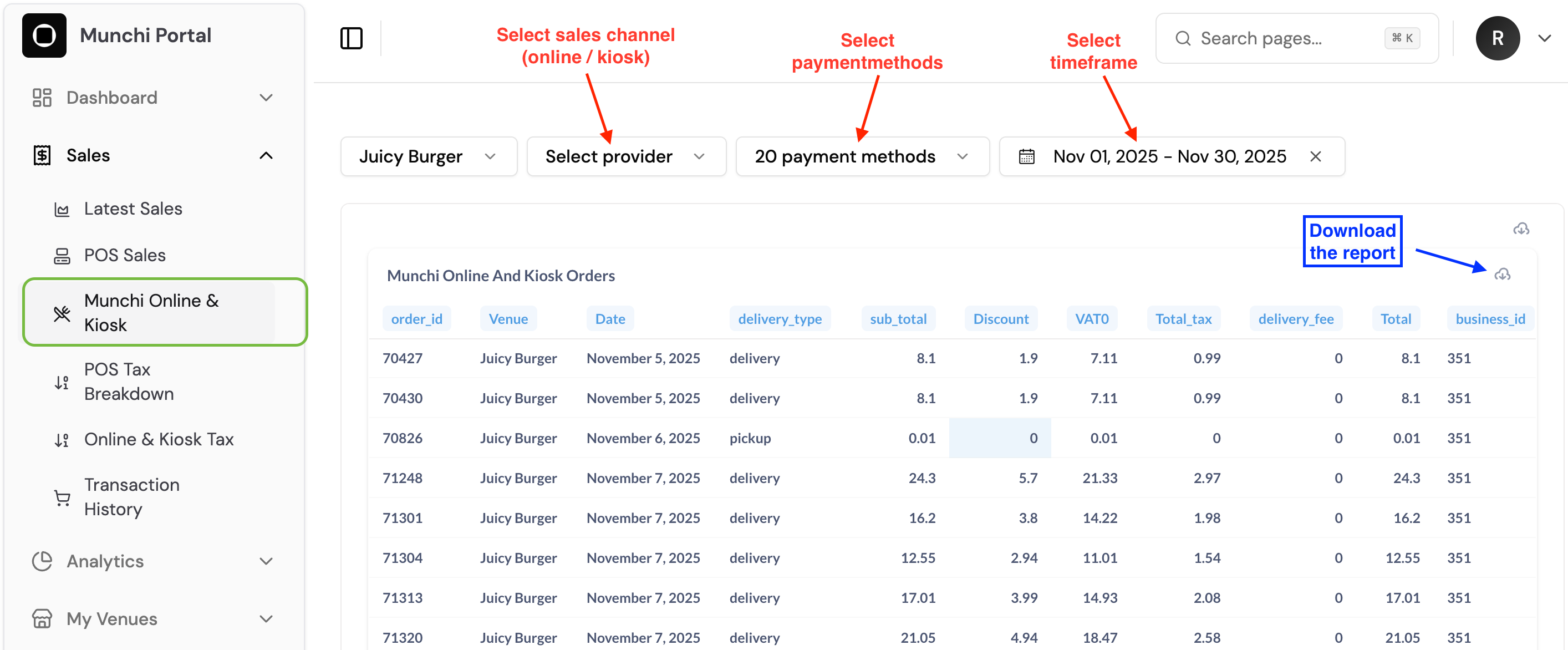
Navigate to Sales and Munchi Online & Kiosk
Set parameters for the report
Select business
Select provider (sales channel)
Select payment methods
Select timeframe
Check that the report looks correct.
Hover over the report and select the lower download icon that appears.
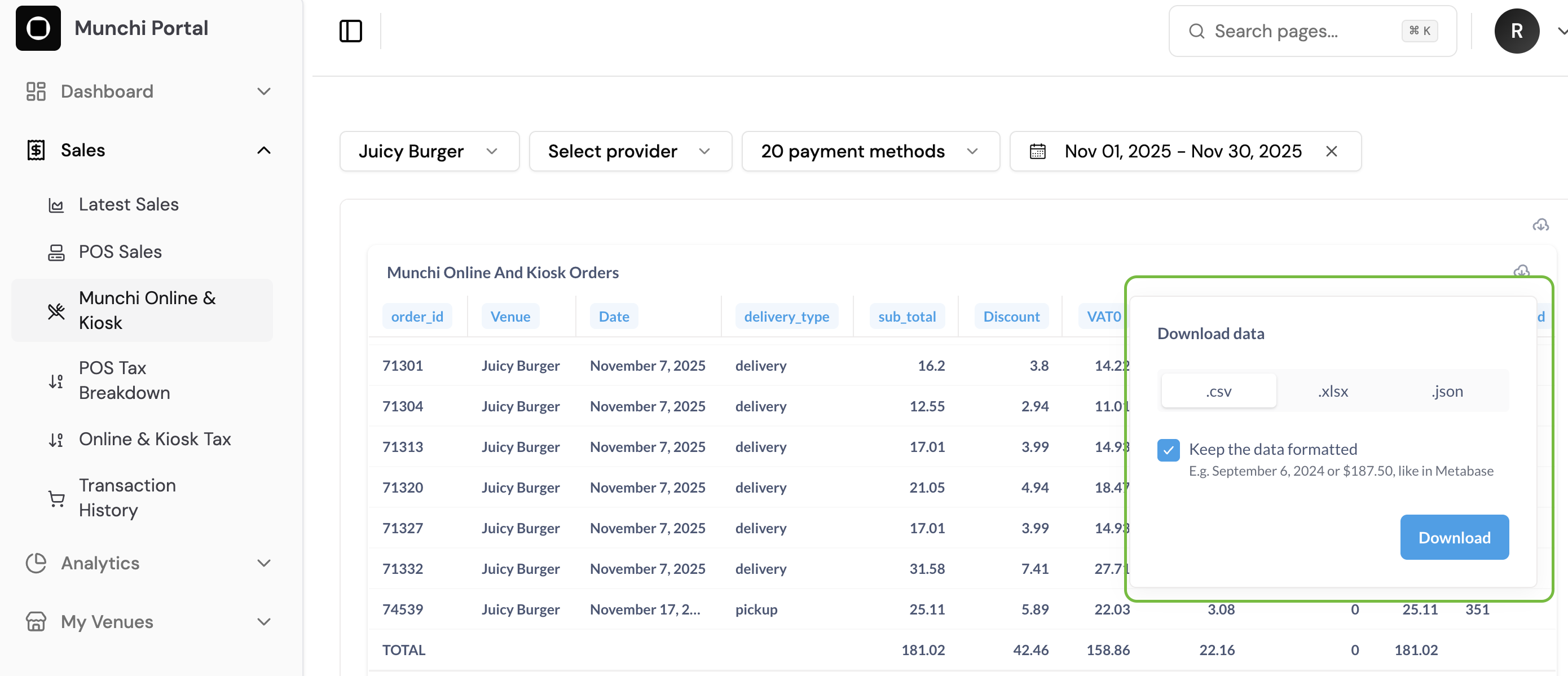
Select file type (csv./.xlsx/.json)
Select formatted or unformatted version.
Press Download.
Was this helpful?
Still need help? Share an idea