Menu management
Written By Mario Henningson
Last updated 3 months ago
Introduction
Menus control what shows up where. Use them to decide which products appear on which system — POS, Online Store, Self-Ordering Kiosk, or Mobile App.
What you can do with menus:
Show a product on some systems, not others. Example: a cheeseburger can be visible on the POS but hidden from the kiosk.
Show a product only at certain times. Example: create a "Lunch Menu" so specific items are only available during lunch hours.
Get started
Step 1: Login to dashboard.gomunchi.com
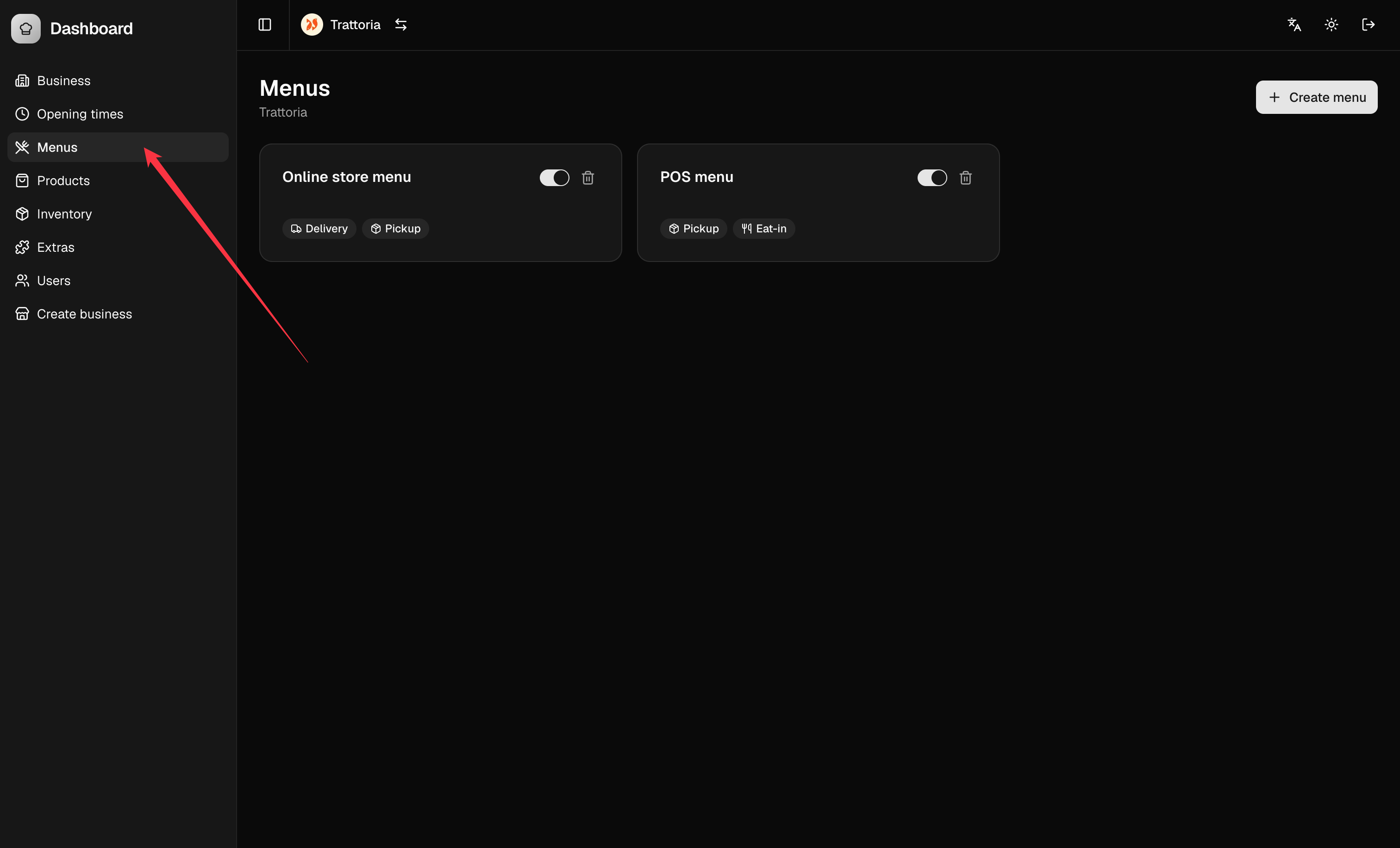
Step 2: Locate the “Menus” tab in the dashboard once logged in
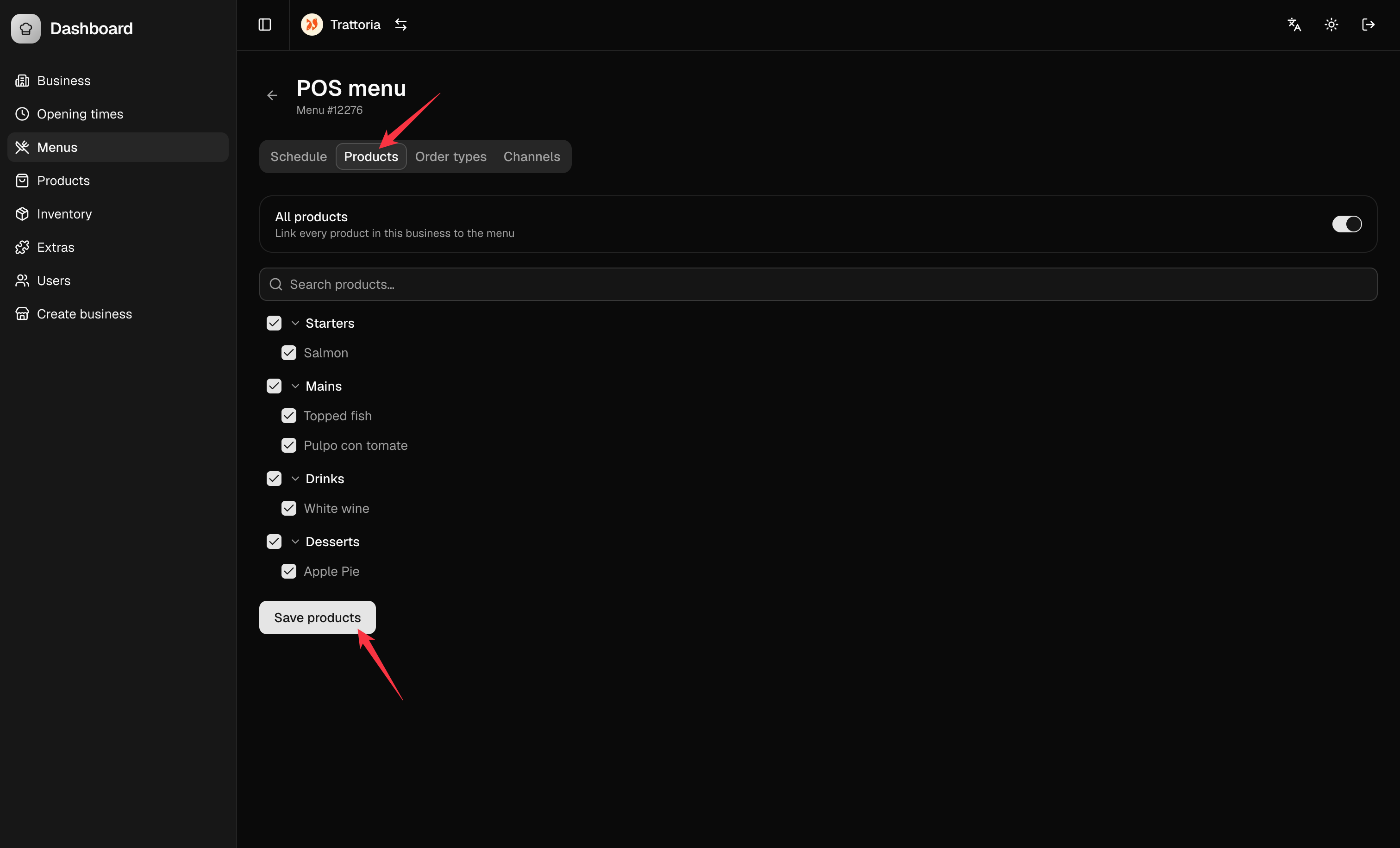
Step 3: Select the products that you want to show in this menu and click on save
TIP: If you want all products to be always visible, click on the “All products” toggle
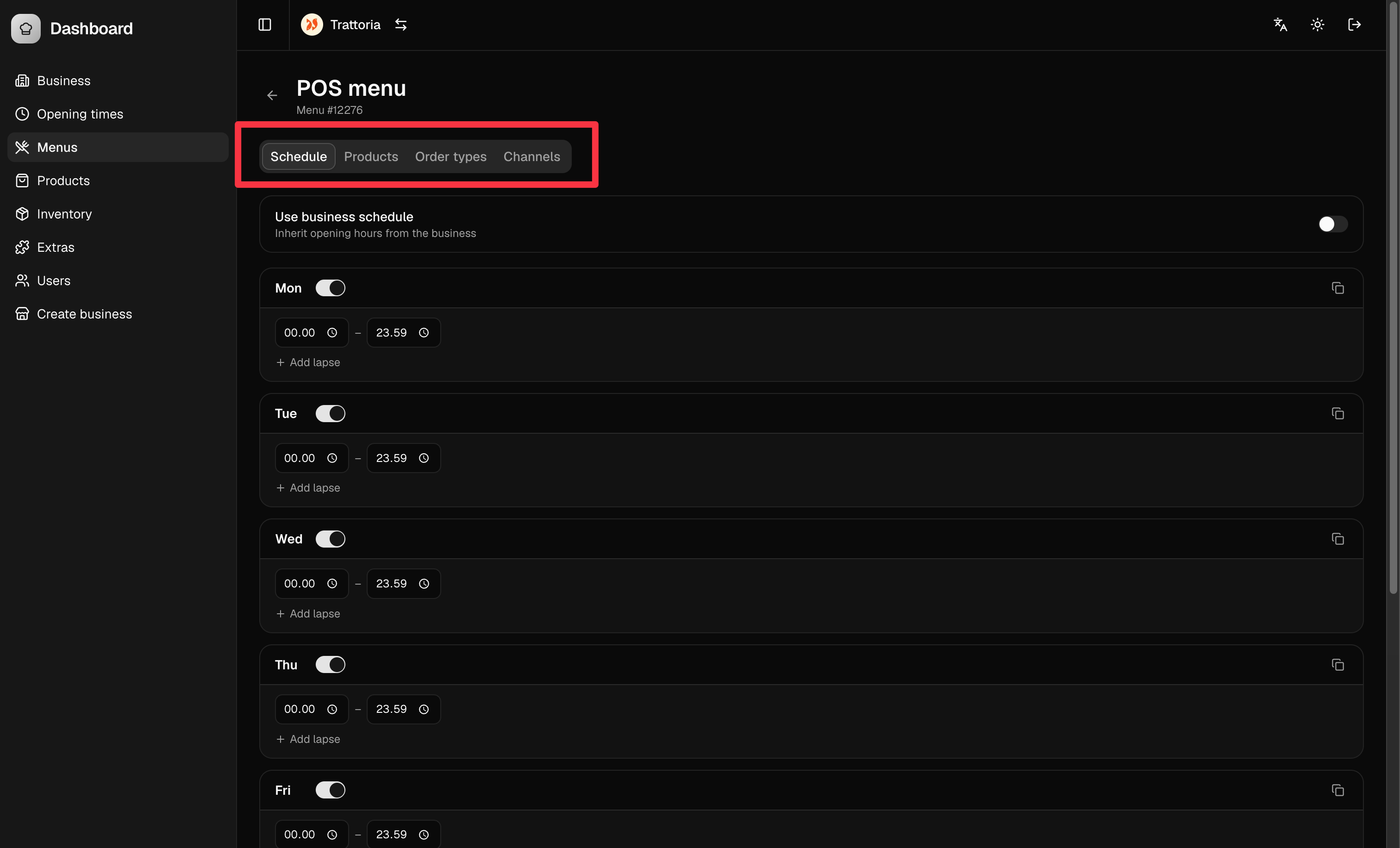
Step 4: Configure schedule, order types and channels where this menu is visible